
ExifExtractor – Metadata extractor tool for law enforcement
Uncover vital intelligence from images and videos with ExifExtractor, a free tool that extracts metadata to support investigations into child sexual abuse material (CSAM).
With ExifExtractor in your investigative toolkit, you can analyse the Exif data needed to find potential matches online, identify offenders, and safeguard child victims.



A metadata extractor tool for discovering critical leads
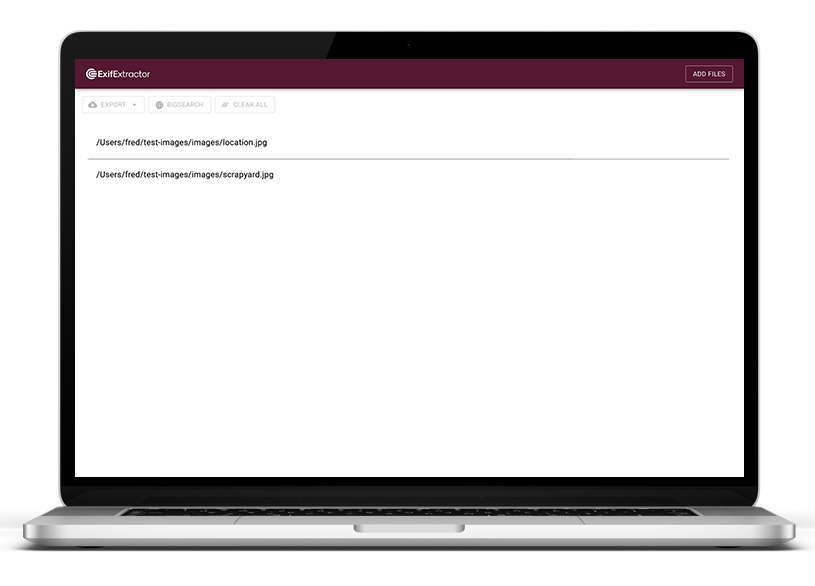
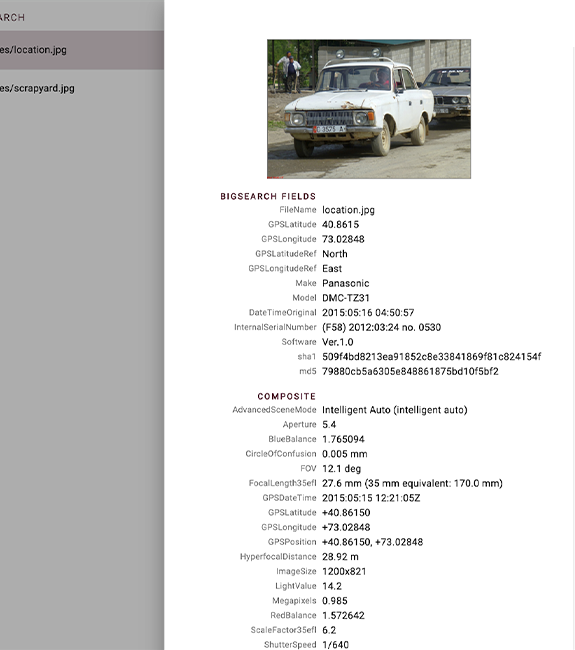
ExifExtractor is purpose-built to empower investigators. It extracts as many identifiers from both photos and videos as possible, and calculates PhotoDNA and cryptographic hashes. This allows you to find potential matches via CameraForensics or another image intelligence tool.
With a CameraForensics licence, you can upload thousands of results directly to BigSearch. From offenders’ online usernames to the locations they’re sharing illicit material from, you can uncover a myriad of intelligence.
With hashes like PhotoDNA, you can also use CameraForensics to determine whether an image has been distributed online already, identify additional copies, and issue takedown notices.
Request an ExifExtractor deployment
Want to request ExifExtractor for your organisation?
We’ve created a templated email for you to send directly to your IT team. It also includes the ExifExtractor: Technical specifications datasheet, designed to answer any questions they may have about deployment or security.
Security, deployment & operating details
We want to make deploying ExifExtractor as quick and simple as possible for IT teams.
Below are some key security and deployment details, with a technical specification datasheet for more in-depth information and deployment guidelines.
ExifExtractor is supported by Windows, Mac and Linux.
ExifExtractor runs locally. Investigators only need an internet connection to share results directly with BigSearch.
There is a low risk of data breaches, security vulnerabilities, and malware threats.
- Open the MSI file and configure it to your internal security requirements.
- Import the file to your chosen systems management software and deploy for testing.
- Once you’ve finished testing, deploy ExifExtractor across devices.
You’ll find the tool’s release notes here.
Download the ExifExtractor datasheet
For more detailed operating requirements, deployment instructions, and a risk assessment, download the ExifExtractor: Technical specifications datasheet via the button below.
ExifExtractor FAQs
Do you need a CameraForensics licence to use ExifExtractor?
- You don’t need a CameraForensics licence to install or use ExifExtractor. However, you will need a licence if you want to send your results to BigSearch in order to find new lines of inquiry.
What do I need to run ExifExtractor?
- You can run ExifExtractor locally via a desktop or laptop computer. You don’t need an internet connection unless you want to upload results directly to BigSearch.
Who can download ExifExtractor?
- ExifExtractor is purpose-built for CSAM investigators, victim identification teams, and digital forensics teams.
Can you use ExifExtractor alongside other tools?
- ExifExtractor doesn’t integrate directly with other tools, but CameraForensics users can send results directly to BigSearch when connected to the internet. You can also download ExifExtractor results in a Project VIC file, so that you can share data easily with investigators outside of your organisation.
Where can I install ExifExtractor?
You can download it via CameraForensics.com and the Child Abuse Image Database (CAID). It’s not available to download via any app stores.
You can install ExifExtractor here.
Empowering investigators to safeguard children
Want to know why a metadata extractor tool should be part of your investigative toolkit? Need more technical details to support your deployment?
We’re here to answer your questions.